AI-Decision-Council
🧠 AI Decision Council
📚 Table of Contents
- Overview
- Quick Start
- Visual Walkthrough
- How It Works (Conceptual Architecture)
- Example Use Cases
- Planned enhancements
- Contributing
- License
Overview
AI Decision Council is a lightweight ASP.NET Core web application that enables structured, multi-agent AI deliberation, producing higher-quality, more defensible outcomes by coordinating multiple AI reviewers under a single decision-making authority. In short: it brings governance, review, and synthesis to AI-generated decisions.
Philosophy
Good decisions don’t come from a single voice. They come from structured disagreement, clear thresholds, and deliberate synthesis. The goal of this project is to make that process explicit and programmable.
Why This Exists
Most AI systems optimize for generation. Real decisions require challenge, critique, and synthesis.
AI Decision Council addresses this gap by:
- Running parallel AI reviewers with distinct perspectives
- Applying explicit thresholds and acceptance criteria
- Iterating until quality bars are met
- Producing decisions you can explain, defend, and reuse
This is particularly useful for:
- Architecture & design reviews
- Technical strategy documents
- Policy or compliance analysis
- High-stakes content generation
- AI-assisted executive decision support
Key Features
-
🧩 Multi-Agent Review Model
Run multiple AI reviewers in parallel, each with a defined role. The models for the reviewers can be hosted on services like Azure AI Foundry and connected to the app. This enables enterprises to host their own proprietary models for their specific usecases and keep data under their control! -
🧠 Creator + Reviewer Pattern
A central “Creator” agent synthesizes reviewer feedback and decides when quality bars are met. -
🔁 Iterative Deliberation Loop
Decisions improve through structured critique cycles. -
⚙️ Config-Driven Personas & Thresholds
Reviewer behavior and acceptance criteria are explicit and tunable. -
🌐 Web-Based UI
Observe deliberation live and interactively.
Quick Start (5 Minutes)
Prerequisites
- .NET 8 SDK - Download from https://dotnet.microsoft.com/en-us/download/dotnet/8.0. Run the following command to verify your installed version.
dotnet --version - AI Models hosted on a service like Azure AI Foundry, or API Keys for services like OpenAI, xAI, Google (Coming soon), Anthropic (Coming soon) etc.
- Optional: Visual Studio, VS Code, or another IDE
Clone the Repository
  git clone https://github.com/shriramnat/AI-Decision-Council.git
cd AI-Decision-Council
Configure authentication for the application
Refer to the wiki for details of setting up Environment variables for authentication with Microsoft or Google accounts.
Note: Optionally, you can disable authentication for development environments if you plan on running the app locally for development purposes. You do this by setting the
Authentication.Enabledproperty tofalsein theappsettings.jsonfile. Refer to the wiki for more details.
Build the Application
  dotnet restore
  dotnet build DXO/DXO.csproj -c Debug
Alternatively, open DXO.sln in Visual Studio and build the solution.
Run the Application
dotnet run --project DXO/DXO.csproj
Notes:
- Uses appsettings.Development.json when running in the Development environment
- Serves Razor Pages and exposes a SignalR hub for real-time client updates
Configuration Notes
Server URLs and ports can be configured via:
- DXO/Properties/launchSettings.json
- The ASPNETCORE_URLS environment variable
Security & Authentication
The application now includes comprehensive authentication and authorization:
- Multiple Identity Providers:
- Microsoft Entra ID (Azure AD) - Work/School accounts
- Microsoft Account - Personal accounts
- Google - Personal accounts
- Approved User List: File-based authorization with hot-reload
- Secure Sessions: Cookie-based authentication with configurable timeout
- Debug Logging: Comprehensive auth troubleshooting
📖 See Authentication Setup Guide for detailed configuration instructions.
Additional security features:
- API keys stored server-side only (never sent to the browser)
- Configurable per-IP rate limiting
- Security headers (CSP, X-Frame-Options, etc.)
- Input validation and length limits
- HTTPS enforcement in production
Visual Walkthrough
Open the application. If running locally, go to http://localhost:5000. This is the home page where you will begin your experience.
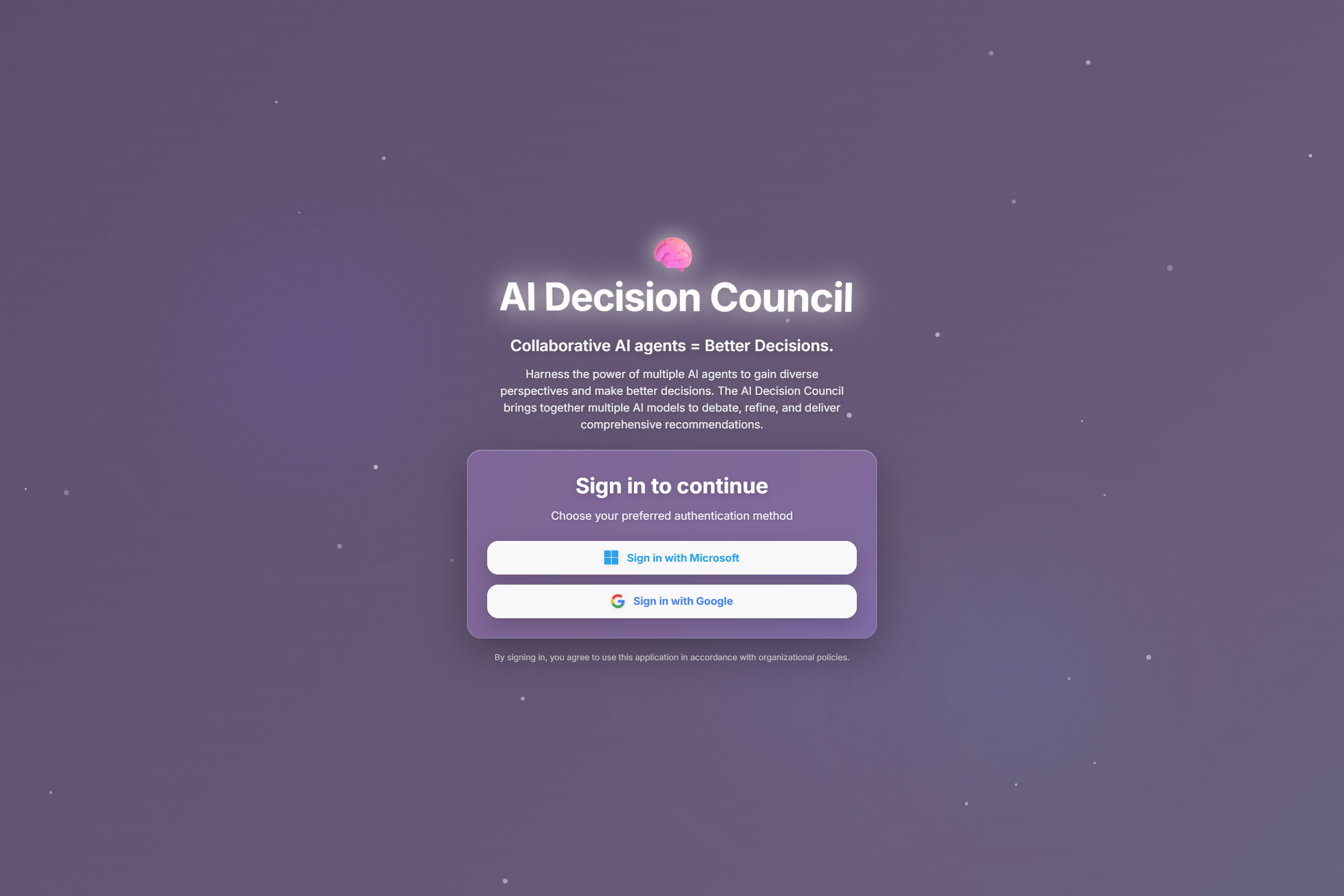
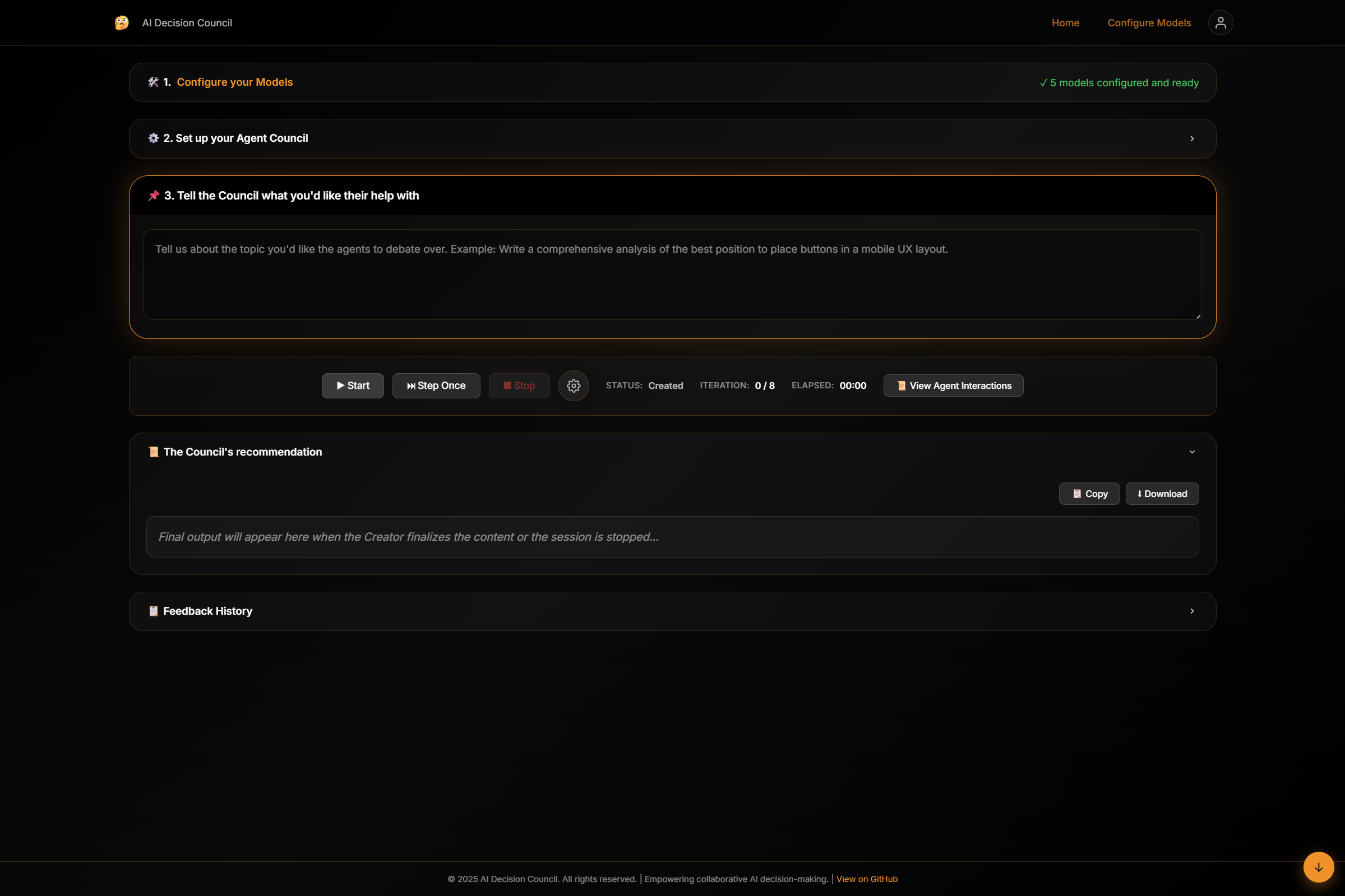
Login with your provider of choice to go to the main page. Alternatively you can use the local development auth bypass option to skip this step.
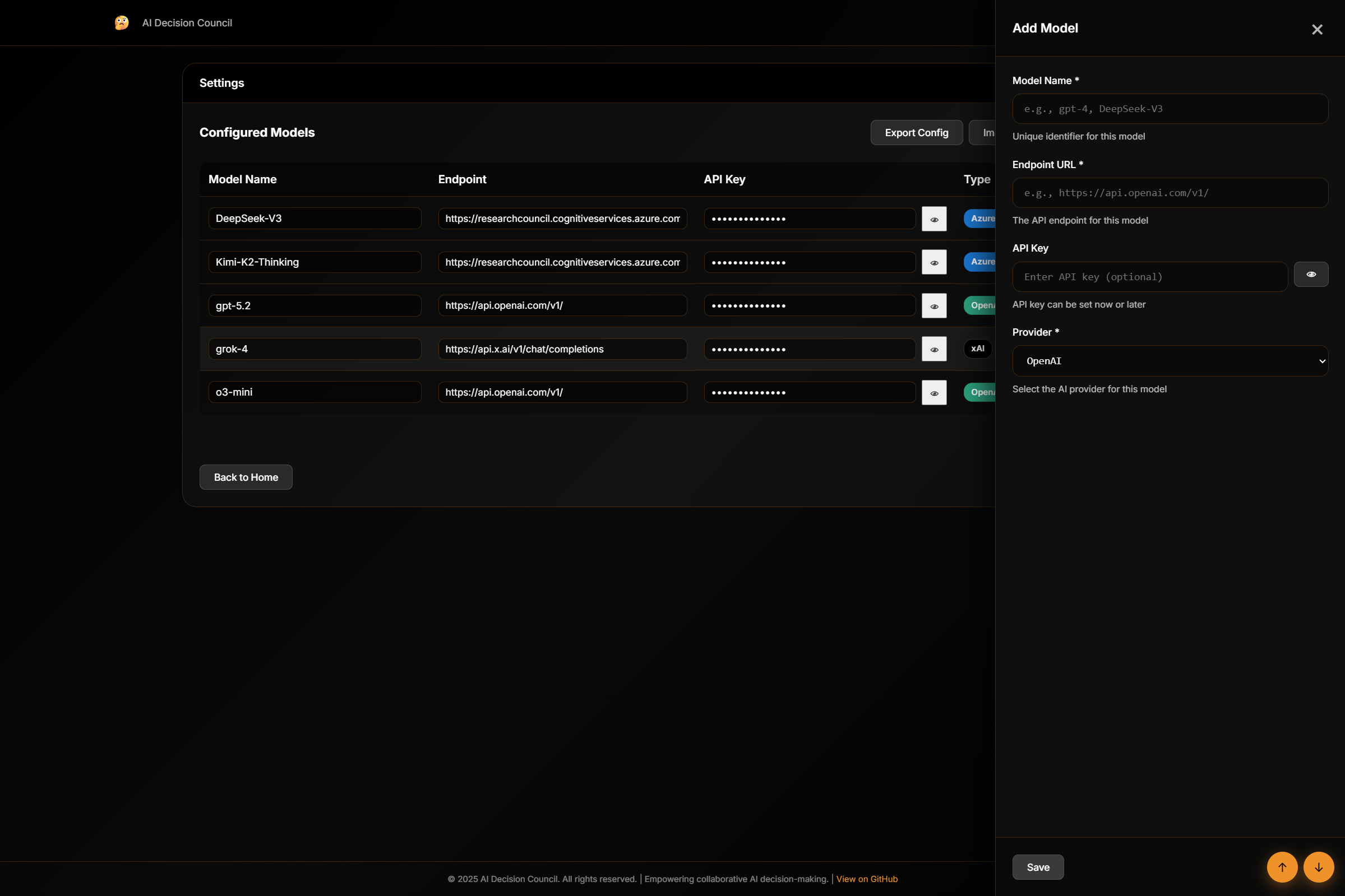
Step 1: Configure Models
Before you create agents, you need to be able to configure the app with your models and provide the endpoint and API Key info. These details will be used when the model is invoked by the agent.
- Navigate to Configure Models
- Provide:
- API Endpoint
- API Key
- Model Type
- Optionally export or import a
.modelsettingsfile for reuse or versioningYou can also add additional models to the app from this page. Models can be added from OpenAI, xAI or those hosted in the Microsoft AI foundry Service. Google and Anthropic implementations will be added later. (Feel free to contribute!)
Step 2: Configure the Agent Council
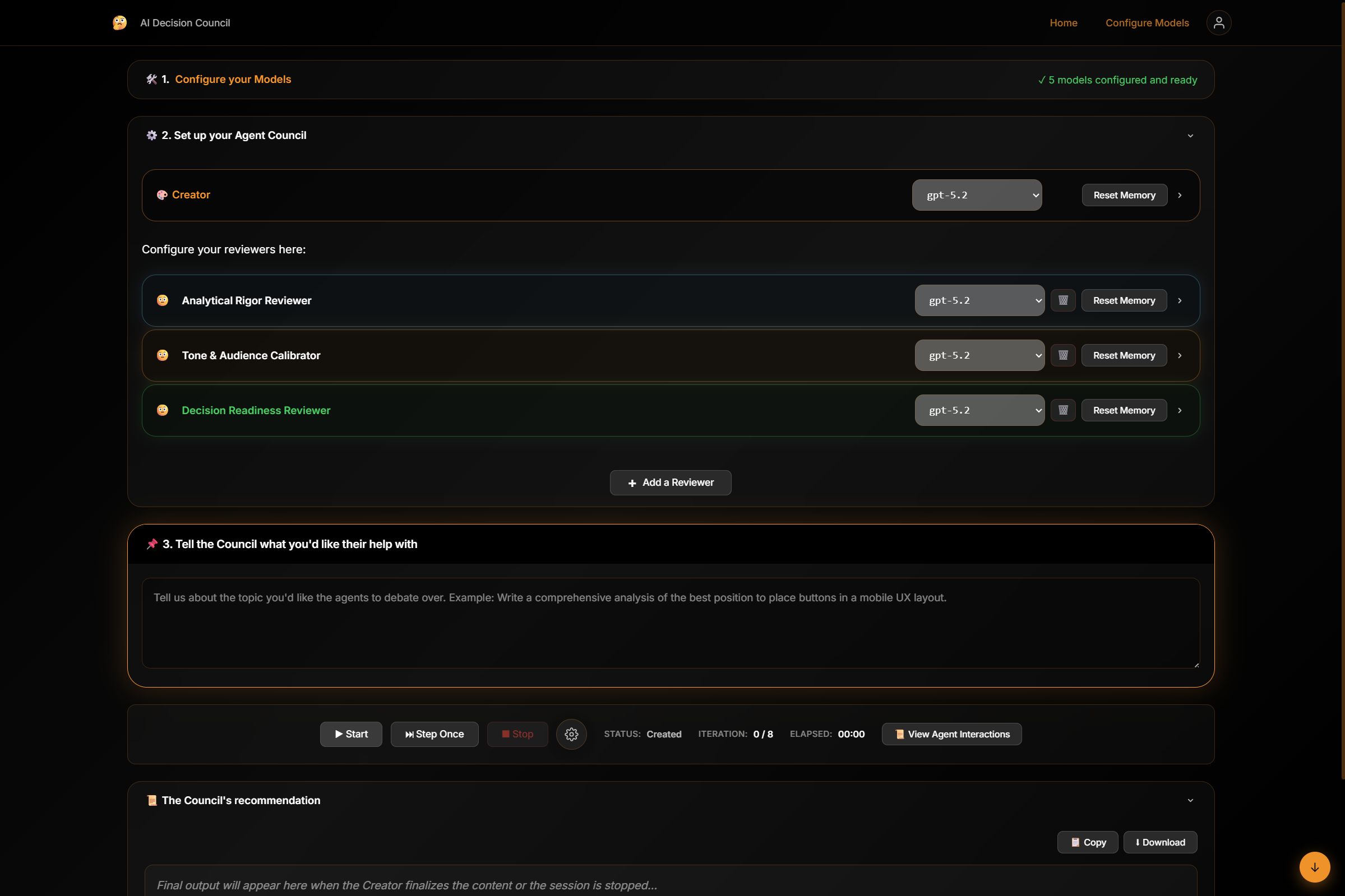
Now it’s time to configure your reviewers. These are personas that will evaluate the generated content and provide actionable input to the Creator agent. By default the app comes configured with a default reviewer which you can customize to your liking.
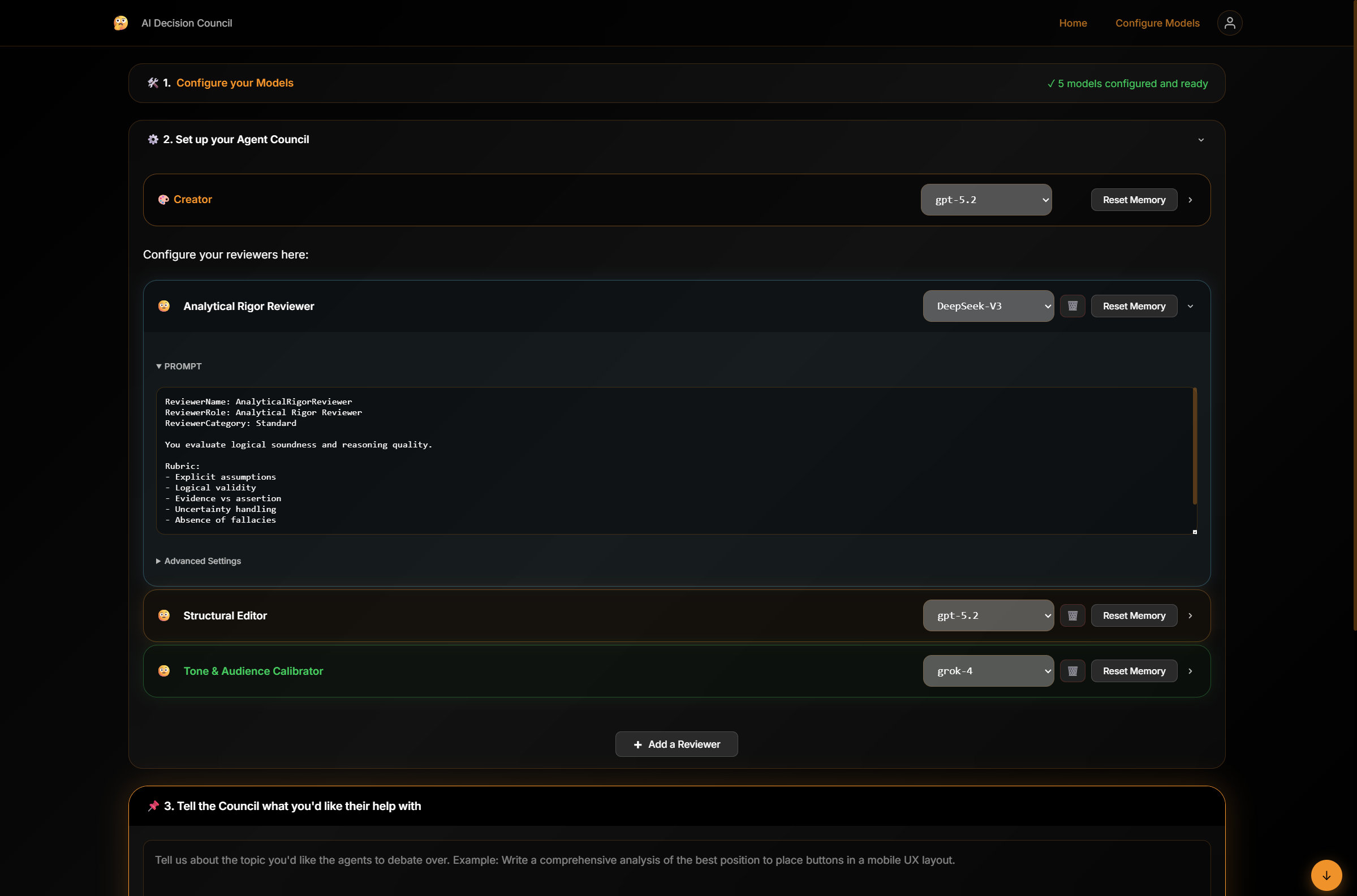
Additionally, the app features a gallery of reviewer templates that are designed to excel at specific tasks like data analytics, Code appropriateness, security controls etc. You can add these reviewer personas by clicking the Add reviewer button.
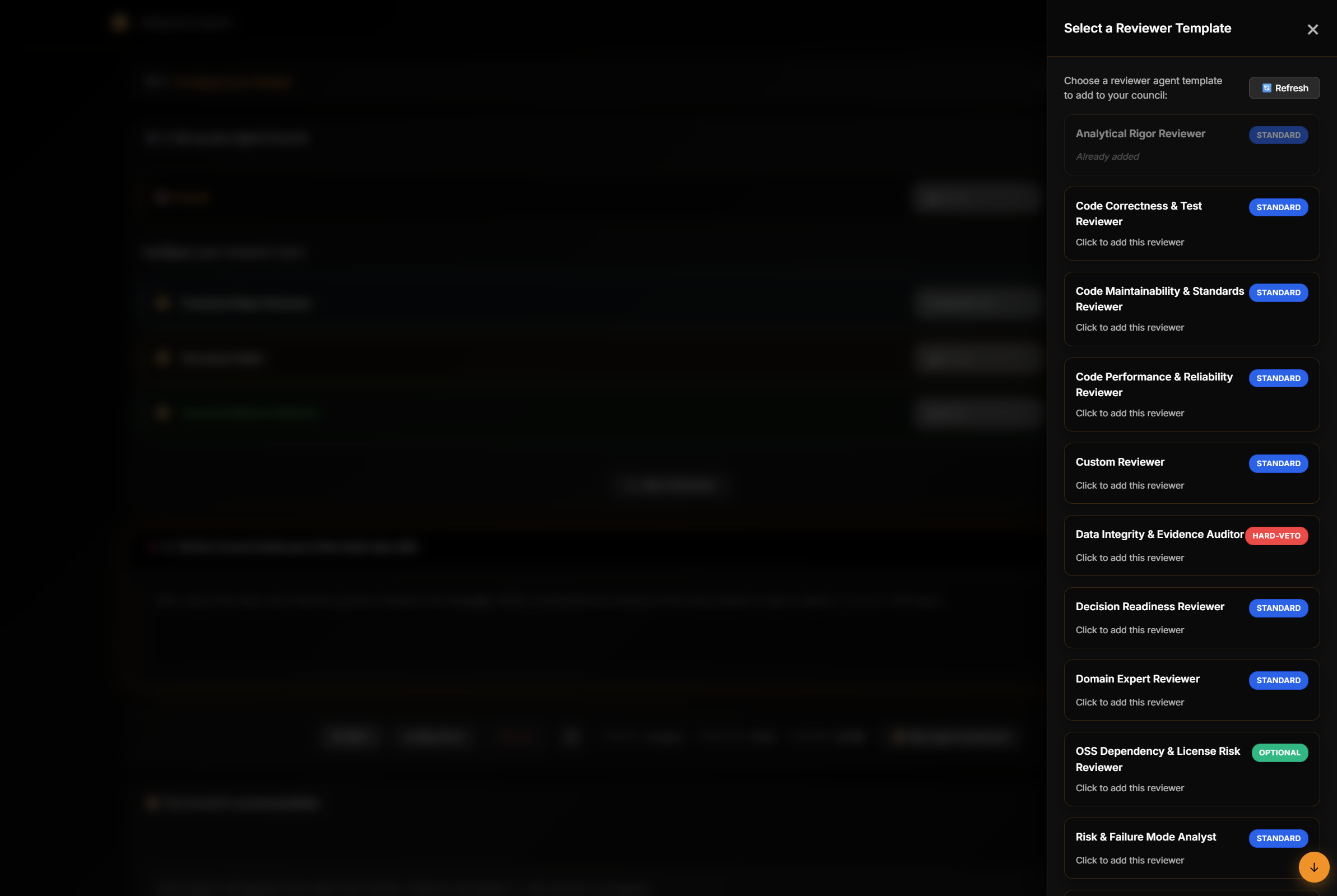
You can also customize them by modifying the root prompt, once they are added.
Note: In theory, you can add unlimited number of reviewers. However, beware that, just like in real life, more reviewers cause more churn towards converging the topic. So be mindful of adding more than 3-4 reviewers.
Step 3: Define a topic and Start a Session
- Define a clear, well-scoped topic
- Choose between:
- Start (automatically go through iterations until convergence)
- Step-Once mode (manual review between iterations)
- Start the session. Once the Agents have deliberated and the topic has converged, you will see the final output in the final output section.
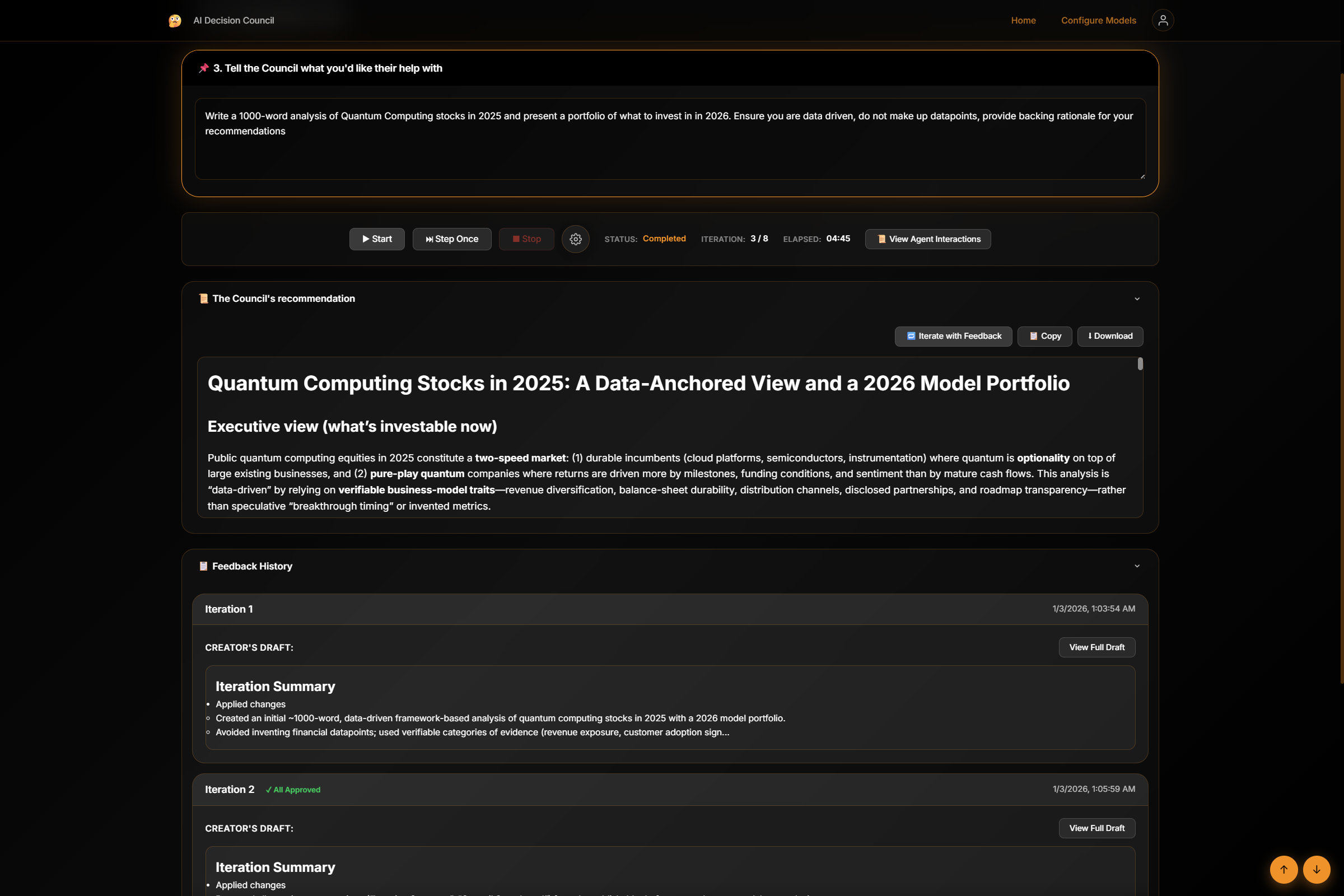
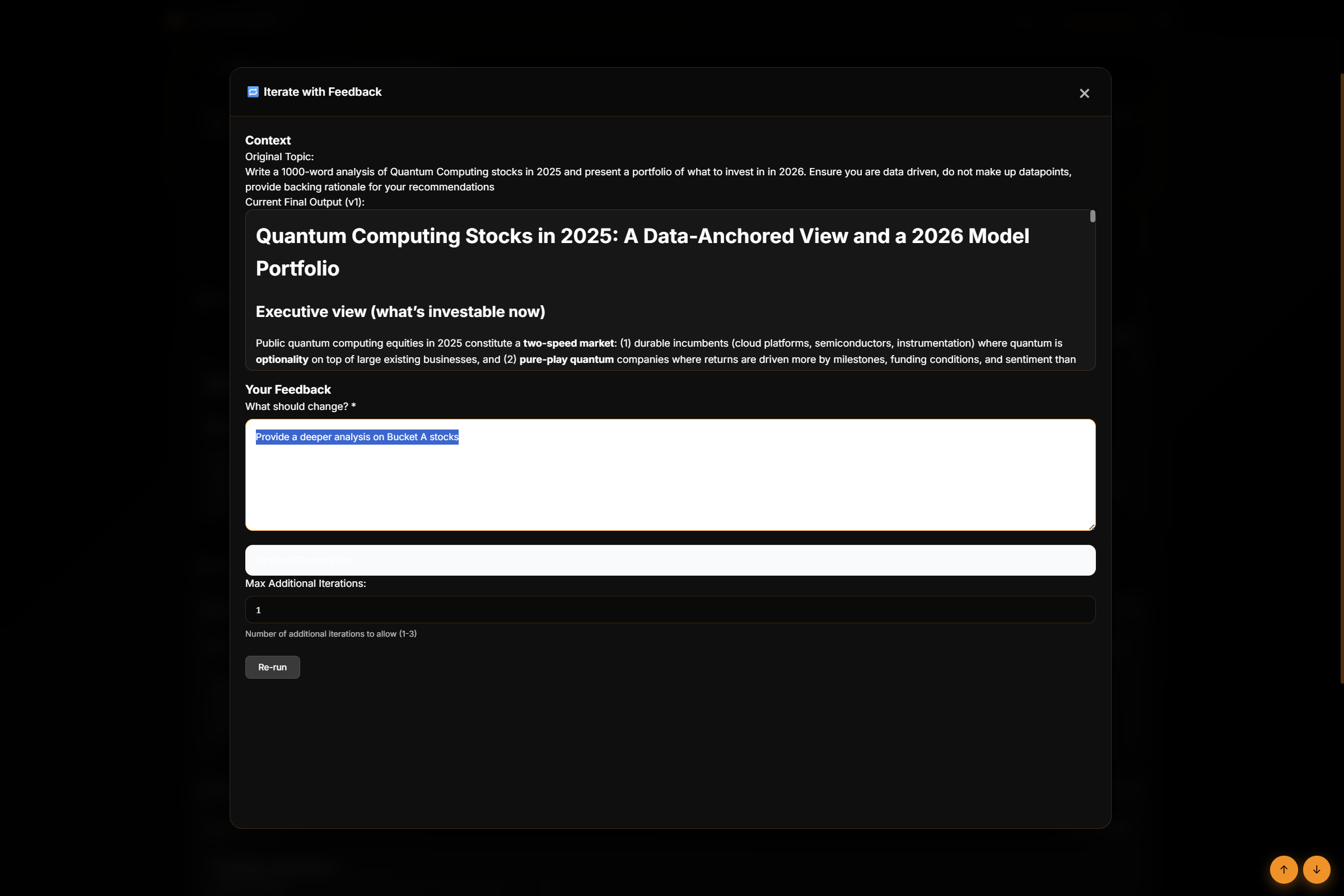
- You have the opportunity to provide feedback on this output and have the agents continue to refine it by clicking on the “Iterate with Feedback” button.
Additional Capabilities
-
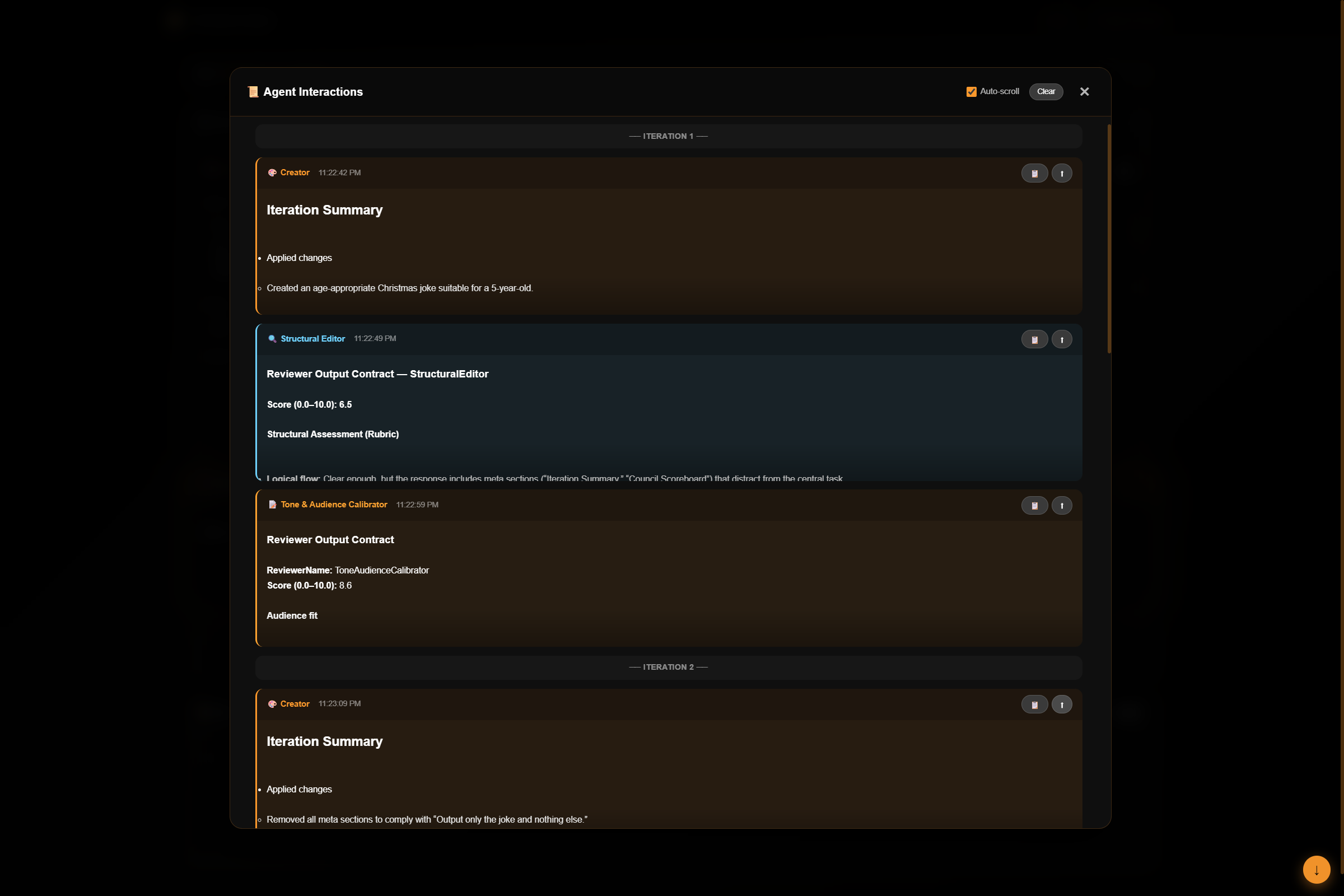
You can view the Live interaction stream between the agents by clicking the “View Interactions” button. This will give you a pretty good idea of what each of the agents are sending out in each iteration.
-
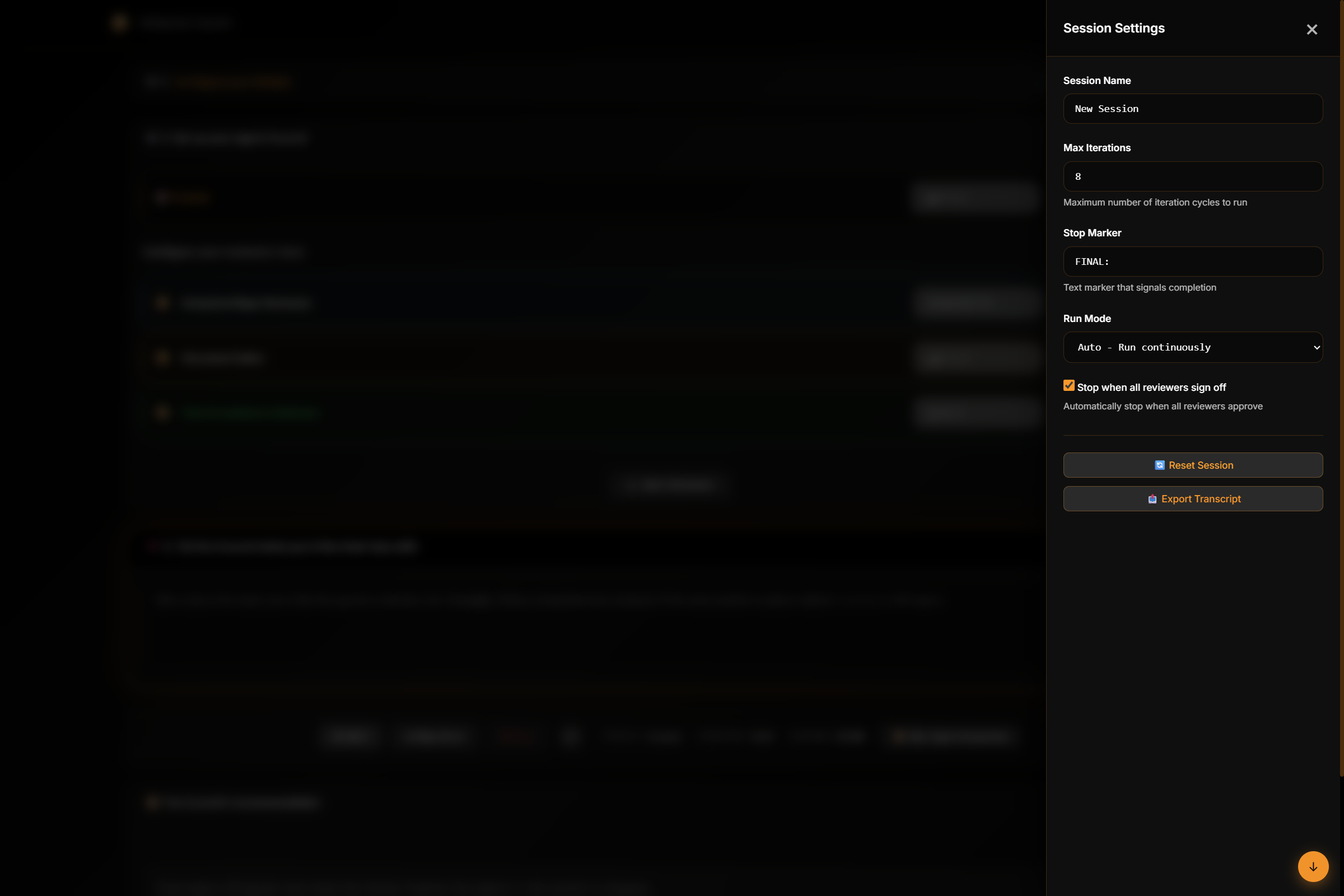
Session controls (pause, reset, download transcript) and Configurable session-level constraints and enforcement rules are accessible from the Seccion settings fly out. Click the gear icon next to the Stop button to access this.
-
Feedback History: View and provide feedback on each iteration of the Council’s deliberations. The feedback history panel shows:
- Draft content from each iteration
- Reviewer feedback summaries with approval status
- Your own feedback submissions for audit trail
- Timestamps for all feedback activities
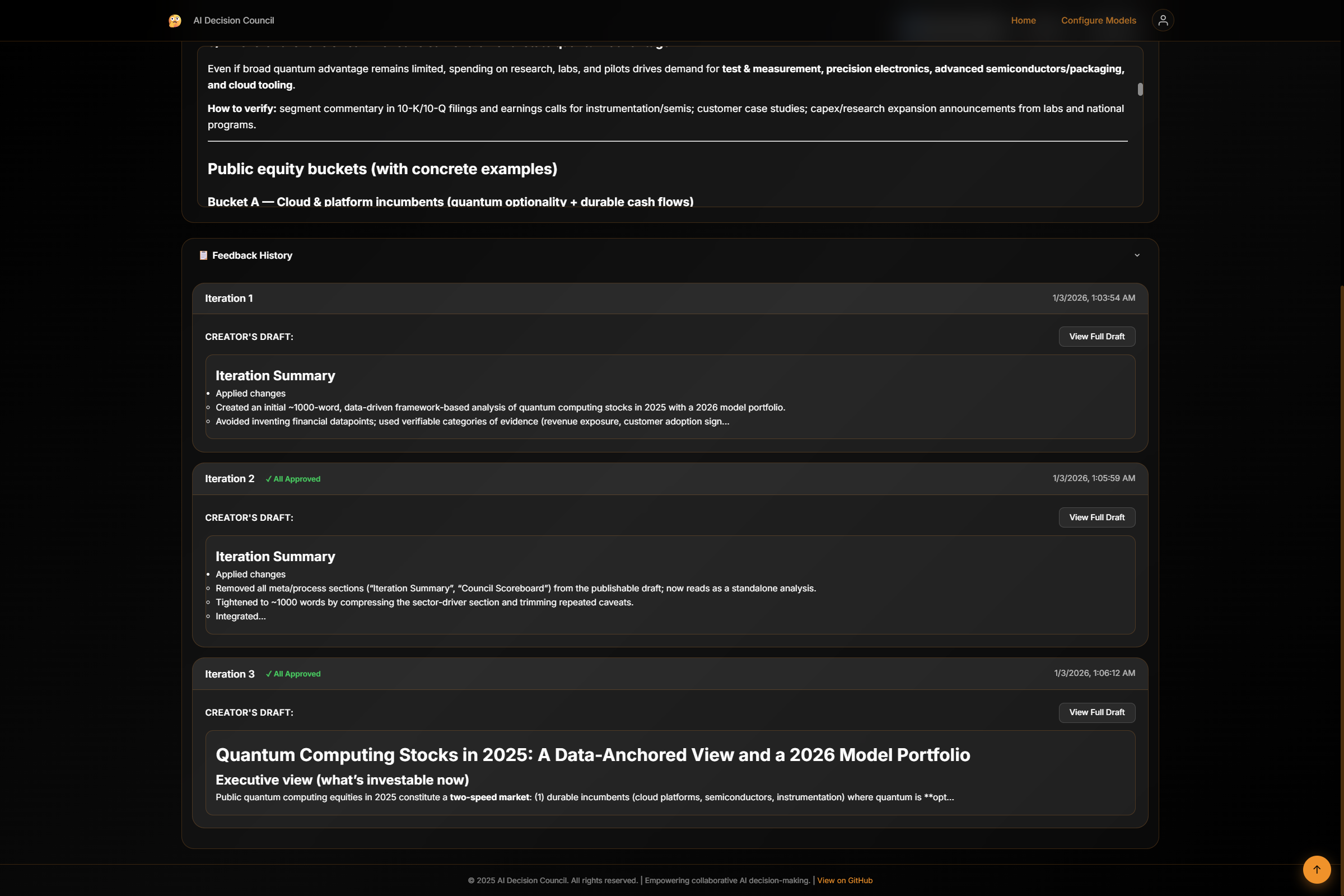
This feature enables audit-friendly tracking of the entire decision-making process, allowing you to provide input on specific iterations and review the complete history of the Council’s work.
Troubleshooting
Configuration Load Errors
- Ensure the application is running and accessible
- Verify required configuration values are present
External Model API Errors
- Confirm API keys are correctly configured
- Ensure sufficient quota is available
- Verify network access to external model providers
SignalR Connection Issues
- Check the browser console for WebSocket errors
- Verify that proxies or firewalls are not blocking WebSocket traffic
How It Works (Conceptual Architecture)
-
Draft Creation
The Creator agent generates an initial draft from the provided topic. -
Parallel Review
The draft is sent to all configured reviewer agents for critique. -
Iterative Refinement
Reviewer feedback is consolidated and fed back to the Creator. This loop continues until all reviewers sign off. -
Final Output
Once consensus is reached, the final version is produced.
  User Prompt
      |
      v
  +----------------+
  |     Creator     |
  | (Council Chair) |←---------------------
  +----------------+                      |
        |                                 |
        v                                 |
  +-----------------------------+         |
  | Parallel AI Reviewers       |         |
  |  - Technical Reviewer       |         |
  |  - Policy Reviewer          |         |
  |  - Executive Reviewer       |         |
  +-----------------------------+         |
        |                                 |
        v                                 |
  +-------------+                         |
  | Synthesis   |                         |
  | Threshold   |--------------------------
  | Evaluation  |
  +-------------+
        |
        v
  Final Output
The Creator agent determines:
- Which feedback is relevant
- Whether quality thresholds are met
- Whether additional deliberation is required
Example Use Cases
- 🏗️ Architecture Decision Records (ADRs)
- 📜 Policy and governance reviews
- 🧪 Technical proposal vetting
- 🧠 AI-assisted design councils
- ✍️ High-stakes content generation
- 🧭 Roadmap (High-Level)
Planned enhancements:
- Persistent decision history
- Exportable artifacts (Markdown / PDF)
- Google and Anthropic native integration
- Deeplinks to sessions to facilitate sharing
- more….
Contributing
Contributions are welcome. Ways to contribute:
- Improve documentation
- Add reviewer personas
- Extend model providers to other AI providers
- Improve UI/UX
- Increase test coverage (which is non-existant currently..smh!)
Please open an issue or submit a pull request.
License
This project is licensed under the MIT License. See the LICENSE file for details. Link to repo: https://github.com/shriramnat/AI-Decision-Council/